User Support


User Support

Whether you are new to Deucalion or an experienced user, our documentation, user portal, and support team are here to help you get started and make the most of the system.


Contact us

Get in touch with our team

Please enable JavaScript in your browser to complete this form.
Politica de Privacidade

1What architectures are available on Deucalion?

Deucalion supports jobs on x86 (AMD Rome), ARM (AFujitsu), and GPU (NVidia A100) partitions. The architecture your account can access is indicated by the last letter of your account name (e.g., a=arm, x=x86, g=gpu).

1How do I know quota and billing information?

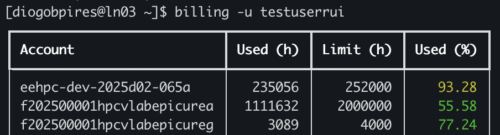
Run the command billing to get how many hours you have left in your account. To get usage per user for a specific account, run `billing -a <your account>`.

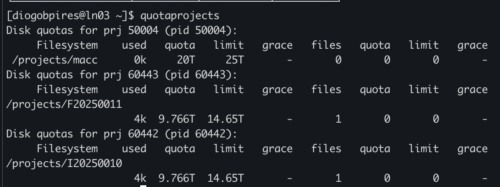
For disk quotas in your home run quotahome. For disk quota in your /projects folder run quotaprojects.

1Can I put limits per user in any account?

Right now we allow that via user portal. Go to your project page and use the Project Usage tab. You can define your limits per user in any account independently.

1What’s the recommended installation software?

Right now Deucalion provides software mostly built with EasyBuild (https://easybuild.io/), with some exceptions for specific toolchains (such as Fujitsu’s proprietary toolchain in the ARM partition). We also support EESSI (https://www.eessi.io/) in the three partitions. If you need help creating your own files please contact us!